
How to Buy
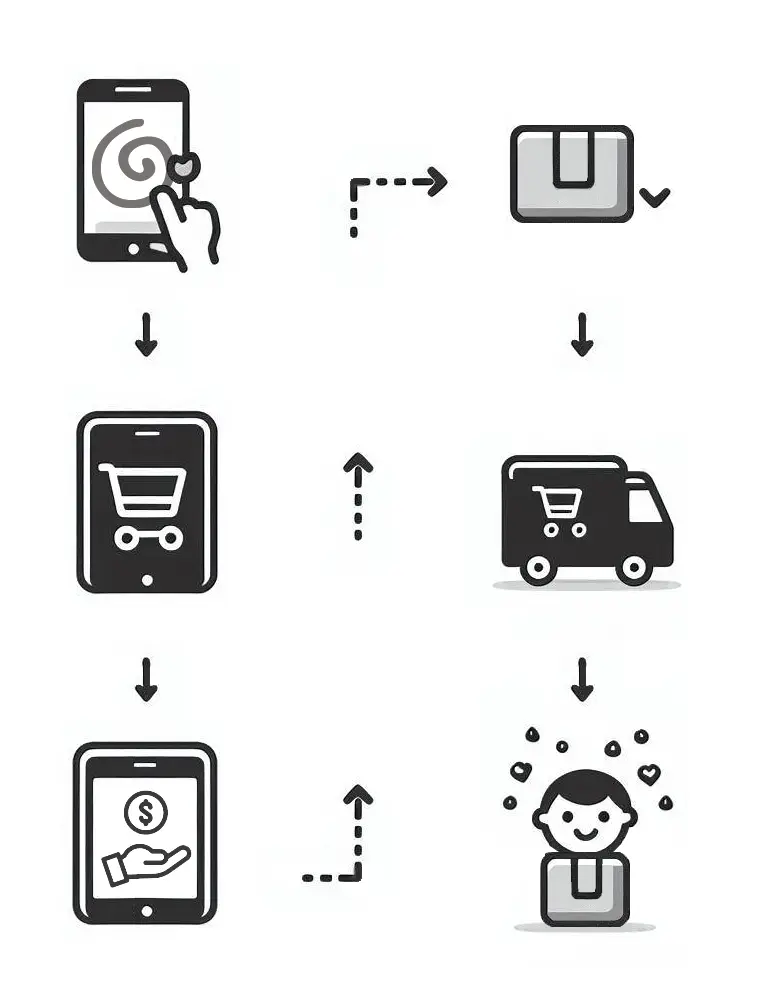
Buying Online
1. Browse the website through the product categories. Choose the product(s) you are interested in and click on the Buy button. A button like this:
2. A pop-up window will appear showing your shopping cart, like the image below. Select Shipping Area and Payment Method. (You will be able to see the total cost)
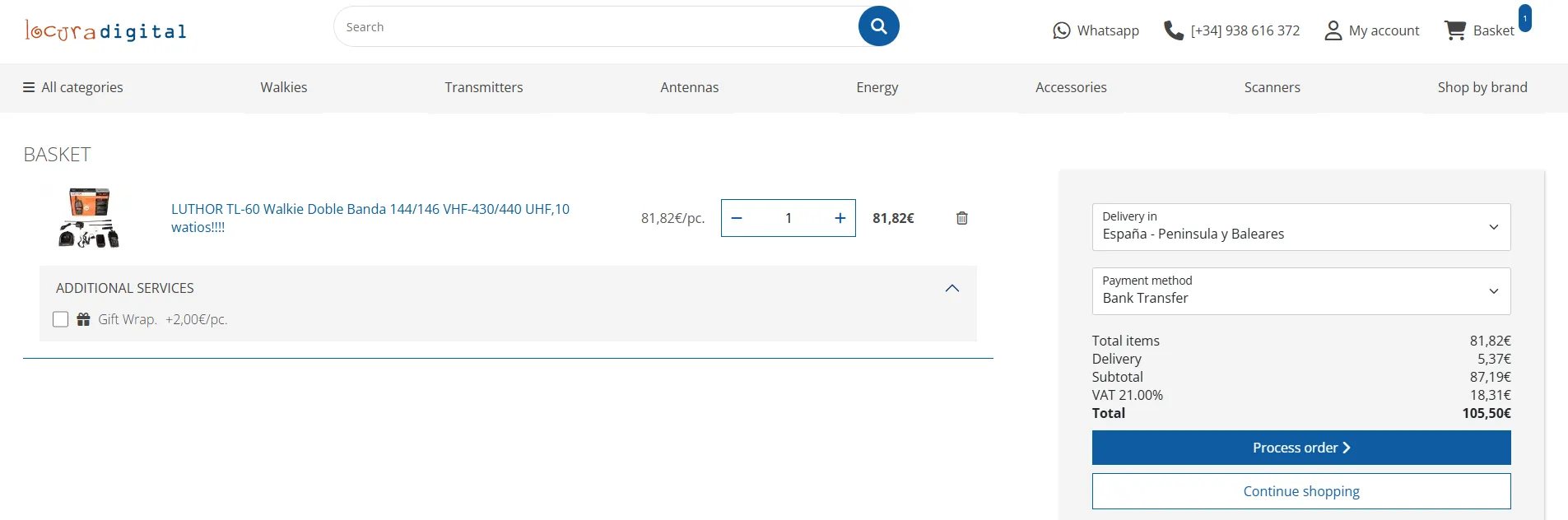
3. If you agree with the total, you must click the PROCESS ORDER button to continue with your purchase.
4. If you have selected the "PROCESS ORDER" button, a page will appear showing the first step of the purchase process, where two options are displayed:
REGISTER (I am not a customer yet): A form will be displayed where you must select whether you are a company or an individual and fill in your billing details. On this screen you must write the password that you wish us to request when you return for your next purchase.
LOG IN (I am already a customer): Fill in the boxes with your email and password. If you do not remember it, you can request it using the "I forgot my password" button, and you will quickly receive an email from us with your password.
5. We check that all the details are correct and up-to-date. To continue with the purchase process, click the blue "Process Order" button.
6. We move on to step nº 3, where you must check that everything is correct and where you have the option to modify your billing and shipping details. Read the payment information carefully. Once you confirm this step nº 3, the order will be sent to your email and to the Locura Digital sales department, but it will not be effective until we receive the payment.
At this point we have received your order, and you will receive a copy, but depending on the payment method chosen, different pages will be displayed.
- Bank Transfer
- To our account under the name ADTEL Sistemas de Telecomunicación SL
- BANCO SABADELL SWIFT: BSABESBB IBAN: ES24 0081 0093 4000 0252 9454
- When making the payment, do not forget to indicate the reference we provide with your order, it is essential to identify your payment.
- Cash on Delivery
- The customer pays the merchandise to the carrier upon delivery. For Spain, this method has an additional cost of 5% of the invoice total, charged by the carrier as a commission. The minimum commission is 3,63 euros.
- For Portugal, the cost is 5% and the minimum commission is 14,76 euros.
- For Canary Islands, Ceuta, Melilla and other countries, Cash on Delivery is not available.
- VISA/MasterCard
- You will enter the secure website of our financial institution where you will be asked for the card number and expiration date. Once accepted, you will be redirected to a secure bank page where you will be asked for a security code. This code varies depending on the bank. If you do not have it yet, you must request it from your bank. This guarantees that your card cannot be used for fraudulent purchases by third parties.
- Paypal
- When choosing this payment method, you will be redirected to Paypals secure payment platform. Once there, you will be asked for your login details and purchase confirmation. After confirmation, you will be redirected back to our website.
- Sequra Split Payment
- Pay for your order in 3, 6, or 12 months for only a small fixed monthly cost. Just with your ID, mobile phone, and bank card. Instant and without paperwork. You can complete the payment anytime without extra cost.
- For example, if you choose to pay for an order of 180 in 3 months, you would pay 63 per month (only 3 per installment).
- Thats how easy and fast it is to split your payment with SeQura:
- 1. Select Split Payment as your payment method when finishing your purchase.
- 2. Enter your details (ID and mobile), choose your payment plan, and pay the first installment.
- 3. Enjoy your purchase! The remaining payments will be made automatically every month.
- If you have questions, solve them here
8. We will ship your order as soon as possible:
- Spain (mainland/Balearic Islands)
- 24/48 hours on business days
- Canary Islands, Ceuta, and Melilla
- 3-5 business days depending on customs
- Portugal (mainland)
- 24/72 hours on business days
- Other countries
-
- Portugal - Azores and Madeira: 2-5 approx. business days
- Germany: 2-5 approx. business days
- Austria: 2-5 approx. business days
- Belgium: 2-5 approx. business days
- Cyprus: 2-5 approx. business days
- Denmark: 2-5 approx. business days
- Slovenia: 2-5 approx. business days
- Slovakia: 2-5 approx. business days
- Estonia: 2-5 approx. business days
- Finland: 2-5 approx. business days
- France: 2-5 approx. business days
- France - Corsica: 3-5 approx. business days
- Greece: 2-5 approx. business days
- Netherlands: 2-5 approx. business days
- Hungary: 2-5 approx. business days
- Ireland: 2-5 approx. business days
- Italy: 2-5 approx. business days
- Latvia: 2-5 approx. business days
- Lithuania: 2-5 approx. business days
- Luxembourg: 2-5 approx. business days
- Norway: 2-5 approx. business days
- Poland: 2-5 approx. business days
- Czech Republic: 2-5 approx. business days
- Sweden: 2-5 approx. business days
- Andorra: 2-4 approx. business days
- Bulgaria: 2-5 approx. business days
- Croatia (Hrvatska): 2-5 approx. business days
- Malta: 2-5 approx. business days
- Monaco: 2-5 approx. business days
- Romania: 2-5 approx. business days
- Switzerland: 2-5 approx. business days
- Gibraltar: 2-5 approx. business days
- Northern Ireland: 2-5 approx. business days
Buying by Phone
1. Have the following information ready
- Full name or company name
- Contact person
- Delivery address: street, number, city, postal code, province, and country
- Tax ID number (N.I.F. or C.I.F.) for your invoice
- Contact details: Phone and Email
- Shipping information, if different from billing details
- Payment method
2. Call our sales department Tel. (+34) 93 861 63 72.
3. If you agree with the quote we provide, we will prepare your order and ship it as soon as possible.
We recommend reading our Terms of Purchase